✓ A dedicated portfolio website increases client inquiries by over 30%.
✓ 85% of hiring managers consider an online portfolio essential.
✓ Your portfolio site is your 24/7 digital storefront.
✓ Mobile-responsiveness is crucial for reaching a wider audience.
How It Works
1
Define Your Niche & Goals
Before building, understand who you want to attract and what type of work you seek. This informs your project selection and website design.
2
Curate Your Best Work
Select only your strongest, most relevant projects. Quality over quantity is paramount; showcase diversity without overwhelming visitors.
3
Choose Your Platform
Decide between website builders, CMS platforms, or custom coding based on your technical skill, budget, and desired flexibility. Consider ease of use versus customization options.
4
Launch & Promote Your Site
Once your site is live, actively share it across professional networks and social media. Regularly update your portfolio with new projects to keep it fresh and relevant.
Why Every Graphic Designer Needs a Powerful Online Portfolio
Photo: cottonbro studio / Pexels
In today's competitive creative landscape, a compelling portfolio website for graphic designers isn't just a nice-to-have; it's a non-negotiable cornerstone of a successful career. Think of it as your digital storefront, open 24/7, showcasing your unique talents and professional capabilities to potential clients, employers, and collaborators across the globe. Unlike static PDFs or generic social media profiles, a dedicated portfolio website offers unparalleled control over your narrative, presentation, and brand identity. It allows you to meticulously curate your best work, present detailed case studies, and articulate your design process—elements that are crucial for demonstrating your value and problem-solving skills.
Firstly, a professional portfolio website establishes credibility. When a potential client or hiring manager searches for a graphic designer, a well-designed, functional website immediately signals professionalism and a serious approach to your craft. It demonstrates that you're invested in your career and capable of creating high-quality digital experiences, which is precisely what they're looking for. This isn't merely about showing off pretty pictures; it's about building trust and showcasing your ability to deliver tangible results.
Secondly, it serves as an indispensable marketing tool. Your website can be optimized for search engines, making it easier for people to discover your work organically. It provides a central hub for all your professional activities, linking to your social media, LinkedIn profile, and contact information. This centralized approach streamlines the client acquisition process and ensures that all inquiries are directed to a single, professional point of contact. Furthermore, it enables you to control the first impression you make. You dictate the visual hierarchy, the user experience, and the story behind each project, ensuring your work is viewed in the best possible light.
Thirdly, a portfolio website offers unparalleled flexibility and customization. Unlike template-driven platforms that restrict your creative freedom, a dedicated site allows you to design an experience that truly reflects your personal brand. You can choose your color palette, typography, layout, and interactive elements, all of which contribute to a cohesive and memorable brand presence. This level of customization is vital for graphic designers whose job it is to create unique visual identities for others—it's imperative that your own identity shines through. It also allows you to adapt and evolve your presentation as your skills grow and your career path shifts, ensuring your portfolio remains relevant and impactful over time. Ultimately, investing in a robust portfolio website is an investment in your career longevity and success, positioning you as a serious and capable professional in the graphic design industry.
Crafting Your Narrative: Selecting and Presenting Projects Effectively
Photo: www.kaboompics.com / Pexels
The heart of any successful portfolio website for graphic designers lies in the projects you choose to showcase and how you present them. This isn't just a gallery; it's a strategic narrative designed to tell a compelling story about your skills, process, and impact. The key principle here is quality over quantity. Resist the urge to upload every piece of work you've ever created. Instead, meticulously select 5-10 of your absolute best projects that best represent the type of work you want to attract and demonstrate your diverse skill set. Each project should serve a purpose, highlighting specific expertise, whether it's branding, UI/UX, illustration, print design, or motion graphics.
When selecting projects, consider variety but also coherence. If you're specializing in a particular niche, ensure your chosen projects align with that focus. However, if you're aiming for a broader range of opportunities, showcase a mix of projects that demonstrate your versatility. For each selected project, go beyond just displaying the final output. Potential clients and employers are not just interested in the 'what,' but also the 'why' and 'how.' This is where detailed case studies become invaluable. A well-constructed case study typically includes:
1. **Project Overview:** A brief summary of the client, project goals, and your role.
2. **Challenge:** What problem was the client facing? What were the specific constraints or objectives?
3. **Process:** Walk through your design journey. This might include research, mood boards, sketches, wireframes, user flows, iterations, and client feedback. Visuals like process shots, early concepts, and mockups are incredibly helpful here.
4. **Solution:** Present the final design solution clearly and beautifully.
5. **Results/Impact:** Quantify the success of the project whenever possible. Did it increase engagement, sales, or brand recognition? Even qualitative results like improved user experience or stronger brand identity are important.
6. **Key Learnings:** What did you learn from this project? This demonstrates self-awareness and a growth mindset.
Use high-quality imagery and mockups to present your work. Show designs in context—on a website, a mobile device, a billboard, or a printed brochure. This helps viewers visualize how your designs function in the real world. Ensure your descriptions are concise, professional, and highlight your unique contributions. Avoid jargon where plain language will suffice, and always proofread carefully. Remember, your portfolio is a reflection of your attention to detail, not just your creative output. A strong project presentation can be the difference between a casual browse and a serious inquiry.
Choosing the Right Platform for Your Graphic Design Portfolio
Photo: Pixabay / Pexels
Deciding on the perfect platform for your portfolio website for graphic designers is a critical step that impacts everything from ease of use to customization capabilities and long-term scalability. There's a wide array of options available, each with its own advantages and disadvantages, catering to different technical skill levels, budgets, and creative needs. Understanding these distinctions will help you make an informed choice that aligns with your professional aspirations.
**1. Dedicated Portfolio Builders (e.g., Behance, Dribbble, Adobe Portfolio):** These platforms are designed specifically for creatives. Behance and Dribbble are excellent for exposure within the design community, acting as social networks for designers. They offer easy project uploading and a built-in audience, making them great for initial visibility. Adobe Portfolio, included with Creative Cloud subscriptions, provides a more personalized website experience with customizable templates, pulling projects directly from Behance. These are generally user-friendly, require minimal technical knowledge, and are often cost-effective or included in existing subscriptions. However, they can sometimes lack the deep customization options of more robust website builders or CMS platforms, potentially limiting your unique brand expression.
**2. Website Builders (e.g., Squarespace, Wix, Webflow):** These platforms offer a more comprehensive website solution with drag-and-drop interfaces, allowing for significant customization without needing to write code.
* **Squarespace** is renowned for its elegant, design-forward templates and excellent image presentation, making it a favorite among graphic designers. It's intuitive, mobile-responsive, and includes hosting and domain registration.
* **Wix** offers even more design flexibility with its robust editor, allowing for pixel-perfect control, though it can sometimes be less intuitive than Squarespace.
* **Webflow** sits between a website builder and a CMS, offering incredible design freedom and the ability to build highly custom, responsive sites without code, but it has a steeper learning curve. These platforms provide more control over your brand and SEO than dedicated portfolio sites, though they come with a subscription cost. You can also integrate advanced features and analytics. For many designers, these strike an ideal balance between ease of use and professional control.
**3. Content Management Systems (CMS) (e.g., WordPress):** WordPress, particularly with themes like Elementor or Divi, offers the ultimate in flexibility and scalability. It requires a bit more technical setup (hosting, domain, theme installation) but rewards you with limitless customization possibilities. You have complete ownership of your site and data, and can integrate virtually any feature through plugins—from e-commerce to advanced SEO tools. This option is ideal for designers who want full control, plan to frequently update their content (e.g., blog posts), or have specific functional requirements that simpler builders can't meet. The learning curve is higher, but the long-term benefits in terms of customization and ownership are significant. Many professional designers opt for WordPress due to its robust ecosystem and adaptability. When considering portfolio options, think about your comfort level with technology, your budget, and how much unique branding you want to achieve.
Essential Elements and Common Mistakes to Avoid on Your Portfolio Site
Photo: Ann H / Pexels
Creating an effective portfolio website for graphic designers involves more than just uploading your best work; it requires a strategic approach to structure, content, and user experience. Paying attention to key elements and actively avoiding common pitfalls can significantly elevate your site's impact and professional appeal.
**Essential Elements for a Standout Portfolio:**
* **Clear Navigation:** Your site should be intuitive. Visitors should be able to find your work, about page, and contact information within a few clicks. Use clear labels and a logical hierarchy.
* **High-Quality Visuals:** This is paramount. Ensure all images are professionally shot, high-resolution, and optimized for web loading speed. Blurry or pixelated images immediately undermine your credibility.
* **Compelling 'About Me' Page:** Don't just list your resume. Tell your story, highlight your passion, values, and what makes you unique. Include a professional headshot and briefly mention your design philosophy or specializations.
* **Contact Information & Call to Action (CTA):** Make it incredibly easy for potential clients to reach you. Include an email address, contact form, and links to professional social media. A clear CTA, like 'Let's Collaborate' or 'Request a Quote,' guides visitors to the next step.
* **Testimonials/Client Reviews:** Social proof is powerful. Include short, impactful quotes from satisfied clients that speak to your professionalism, skill, and ability to deliver results.
* **Mobile Responsiveness:** Your site must look and function flawlessly on all devices—desktops, tablets, and smartphones. A significant portion of your audience will likely view your portfolio on a mobile device.
* **SEO Optimization:** Use relevant keywords in your project descriptions and page titles. This helps search engines understand what your site is about and rank it higher for relevant queries.
**Common Mistakes to Avoid:**
* **Too Much Work (or Irrelevant Work):** Resist the urge to include every project you've ever done. Focus on quality, not quantity. Only show work that aligns with your career goals and demonstrates your best skills. Remove outdated or weak projects.
* **Lack of Context (No Case Studies):** As discussed, simply showing images isn't enough. Without context, viewers don't understand the problem you solved or your design process. This is a huge missed opportunity.
* **Slow Loading Times:** Heavy image files or poorly optimized code can drastically slow down your site, leading to high bounce rates. Optimize all images and use a reliable hosting provider.
* **Poor User Experience (UX):** Cluttered layouts, confusing navigation, inconsistent branding, or excessive animations can frustrate visitors and detract from your work. Simplicity and clarity are often best.
* **No Contact Information:** Believe it or not, many designers forget to make their contact details prominent. If a client can't easily reach you, you've lost an opportunity.
* **Generic Templates Without Customization:** While templates are a great starting point, don't just use them out-of-the-box. Customize them to reflect your unique brand identity. Your portfolio should look like *your* work, not a generic template.
* **Forgetting to Proofread:** Typos and grammatical errors instantly undermine your professionalism. Proofread all text carefully, and consider having a fresh pair of eyes review it.
* **Ignoring Analytics:** Once your site is live, use tools like Google Analytics to understand visitor behavior. Which pages are popular? Where do people drop off? This data can help you refine and improve your portfolio over time.
By focusing on these essential elements and diligently avoiding common missteps, your portfolio website will become a powerful tool that effectively showcases your graphic design prowess and attracts the right opportunities.
Comparison
Feature
Squarespace (Best Option)
Behance (Alternative 1)
WordPress (Alternative 2)
Ease of Use
Very High (Drag & Drop)
High (Upload & Organize)
Moderate (Steeper Learning Curve)
Customization
High (Template-based)
Limited (Profile-based)
Very High (Themes & Plugins)
Cost
Subscription ($16-36/month)
Free (Basic), Adobe CC ($20.99+/month)
Hosting ($5-30/month) + Theme/Plugins
SEO Capabilities
Good Built-in Tools
Limited (Profile SEO)
Excellent (Via Plugins)
Community Exposure
Low (Standalone Site)
Very High (Design Network)
Low (Standalone Site)
Domain & Hosting
Included
N/A (Subdomain)
Separate Purchase Required
What Readers Say
★★★★★
"Building my portfolio website for graphic designers on Squarespace was a game-changer. The templates made it so easy to showcase my work beautifully, and I started getting client inquiries almost immediately. It truly elevated my professional image."
Sarah J. · Austin, TX
★★★★★
"I used to just send PDFs, but my new portfolio site has drastically improved my conversion rate. Being able to tell the story behind each project on my website makes a huge difference to potential clients."
Mark T. · Portland, OR
★★★★★
"After optimizing my portfolio website for graphic designers, I landed a dream job at a top agency. They specifically mentioned how impressed they were with my detailed case studies and the professional presentation of my work online."
Jessica L. · New York, NY
★★★★★
"While setting up my WordPress portfolio took a bit of time, the customization options were worth it. I now have complete control over my site's look and feel, though I occasionally need to troubleshoot plugins."
David K. · Chicago, IL
★★★★★
"My Behance portfolio was great for getting noticed, but having a dedicated portfolio website for graphic designers has allowed me to attract higher-paying clients. It's my professional hub, and it gives me a lot more credibility."
Emily R. · Los Angeles, CA
Frequently Asked Questions
What is the most important thing to include on a portfolio website for graphic designers?
The most important thing is a curated selection of your best, most relevant projects presented with detailed case studies. Each project should clearly outline the problem, your design process, the solution, and the results achieved. This demonstrates your problem-solving skills and value beyond just aesthetic appeal.
I'm a new designer with limited projects. How can I build a strong portfolio?
Focus on quality over quantity. Include personal projects, mock client work, or projects from design challenges. Create concepts for brands you admire or solve a real-world design problem you've identified. Ensure these projects are well-executed and demonstrate your desired skill set. You can always start with fewer, stronger pieces and add more as you gain experience.
How often should I update my graphic design portfolio website?
You should aim to update your portfolio website regularly, ideally whenever you complete a significant new project that aligns with your career goals. At a minimum, review and refresh your portfolio every 6-12 months. This keeps your work current, showcases your evolving skills, and demonstrates ongoing activity to potential clients and employers.
What's the typical cost to build and maintain a professional graphic design portfolio website?
The cost can vary significantly. Free platforms like Behance offer basic exposure, but dedicated website builders like Squarespace or Wix typically range from $12-$30 per month. A self-hosted WordPress site might cost $5-$30 per month for hosting, plus potential costs for premium themes or plugins. Investing in a professional custom domain (around $10-$20/year) is always recommended.
Should I use a free platform like Behance or invest in my own website for my graphic design portfolio?
While free platforms like Behance are excellent for visibility and community engagement, investing in your own dedicated website offers greater control over branding, customization, SEO, and client communication. Your own site establishes more professionalism and allows for deeper narrative through case studies. Many designers use both: Behance for discovery and their personal website as the primary professional hub.
Who benefits most from having a portfolio website for graphic designers?
Anyone working as a graphic designer, whether freelance, in-house, or agency-based, benefits immensely. It's crucial for attracting new clients, securing job interviews, collaborating with other creatives, and establishing a strong personal brand. Essentially, if you want to showcase your design capabilities and grow your career, a portfolio website is indispensable.
Is it safe to host my portfolio on a third-party website builder?
Yes, reputable third-party website builders like Squarespace, Wix, and Adobe Portfolio are generally very secure. They handle all the technical aspects of hosting, security updates, and backups, allowing you to focus on your design work. Always ensure you use strong passwords and enable any available two-factor authentication for your account.
What future trends should I consider for my graphic design portfolio website?
Future trends include integrating more interactive elements (e.g., micro-animations, scroll-triggered effects), showcasing AI-assisted design processes, incorporating video case studies or motion graphics, and personalizing the user experience. Emphasize accessibility and sustainability in your design choices, and always ensure your site is lightning-fast and mobile-optimized for all devices.
Don't let your incredible design work go unnoticed. Building a professional portfolio website for graphic designers is the single most effective step you can take to elevate your career. Start showcasing your talent today and unlock a world of new opportunities.

 Photo: cottonbro studio / Pexels
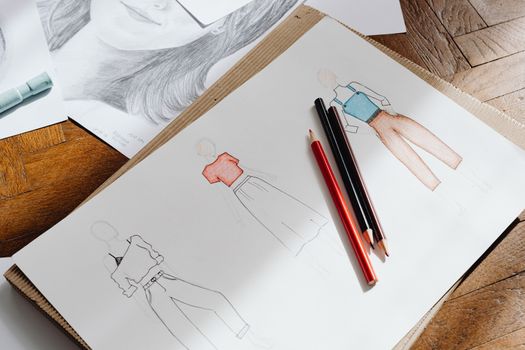 Photo: www.kaboompics.com / Pexels
 Photo: Pixabay / Pexels
 Photo: Ann H / Pexels